01
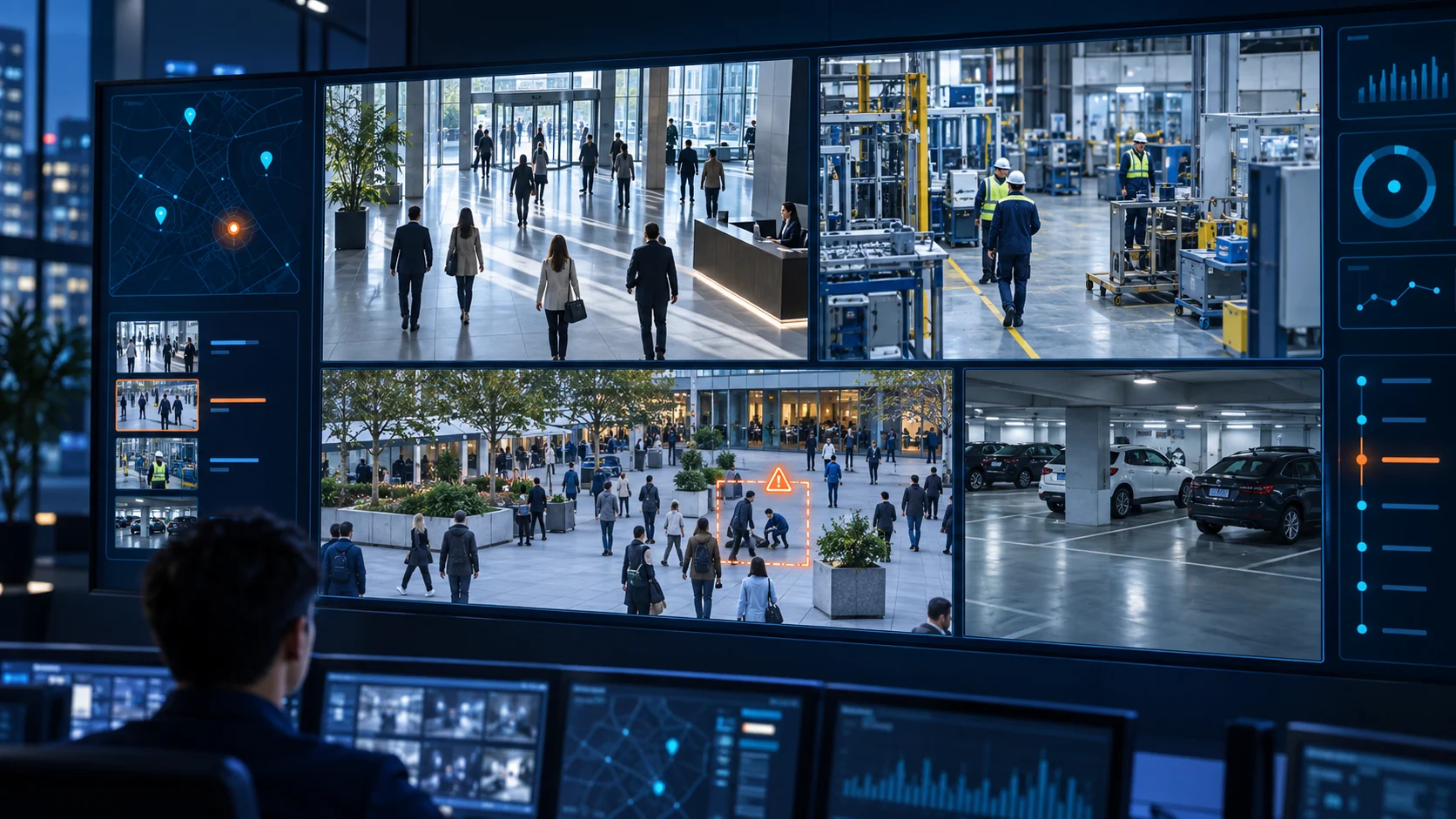
Nhiều khu vực, nhiều loại đối tượngMultiple sites and object types
Quan sát con người, phương tiện và hoạt động tại từng khu vực qua các nguồn camera đã kết nối.Observe people, vehicles and activity across connected camera locations.


Quan sát nhiều khu vực. Kết nối hình ảnh với sự kiện. Xử lý tình huống có ngữ cảnh.Monitor diverse sites. Connect video with events. Review situations in context.
Từ con người, phương tiện đến hoạt động trong vùng quan tâm, iVMS tập hợp video trực tiếp, phát lại, sự kiện AI và tình trạng hệ thống trên một giao diện. Các cảnh báo hành vi bất thường hiển thị khi nguồn AI tương ứng được tích hợp. Giải pháp chú trọng các nhóm yêu cầu an ninh mạng liên quan của QCVN 11:2026/BCA và cập nhật, vá bảo mật định kỳ.From people and vehicles to activity in regions of interest, iVMS brings live video, playback, AI events and system health into one interface. Unusual-activity alerts appear when the relevant AI source is integrated. The solution addresses related QCVN 11:2026/BCA cybersecurity themes and regular security updates.
iVMS kết nối hình ảnh từ nhiều khu vực với dữ liệu sự kiện tương ứng. Người vận hành có thể bắt đầu từ camera, cảnh báo hoặc bản đồ rồi mở lại video để kiểm tra bối cảnh.iVMS connects video from different sites with available event data. Operators can start from a camera, alert or map, then review footage for context.
Quan sát con người, phương tiện và hoạt động tại từng khu vực qua các nguồn camera đã kết nối.Observe people, vehicles and activity across connected camera locations.
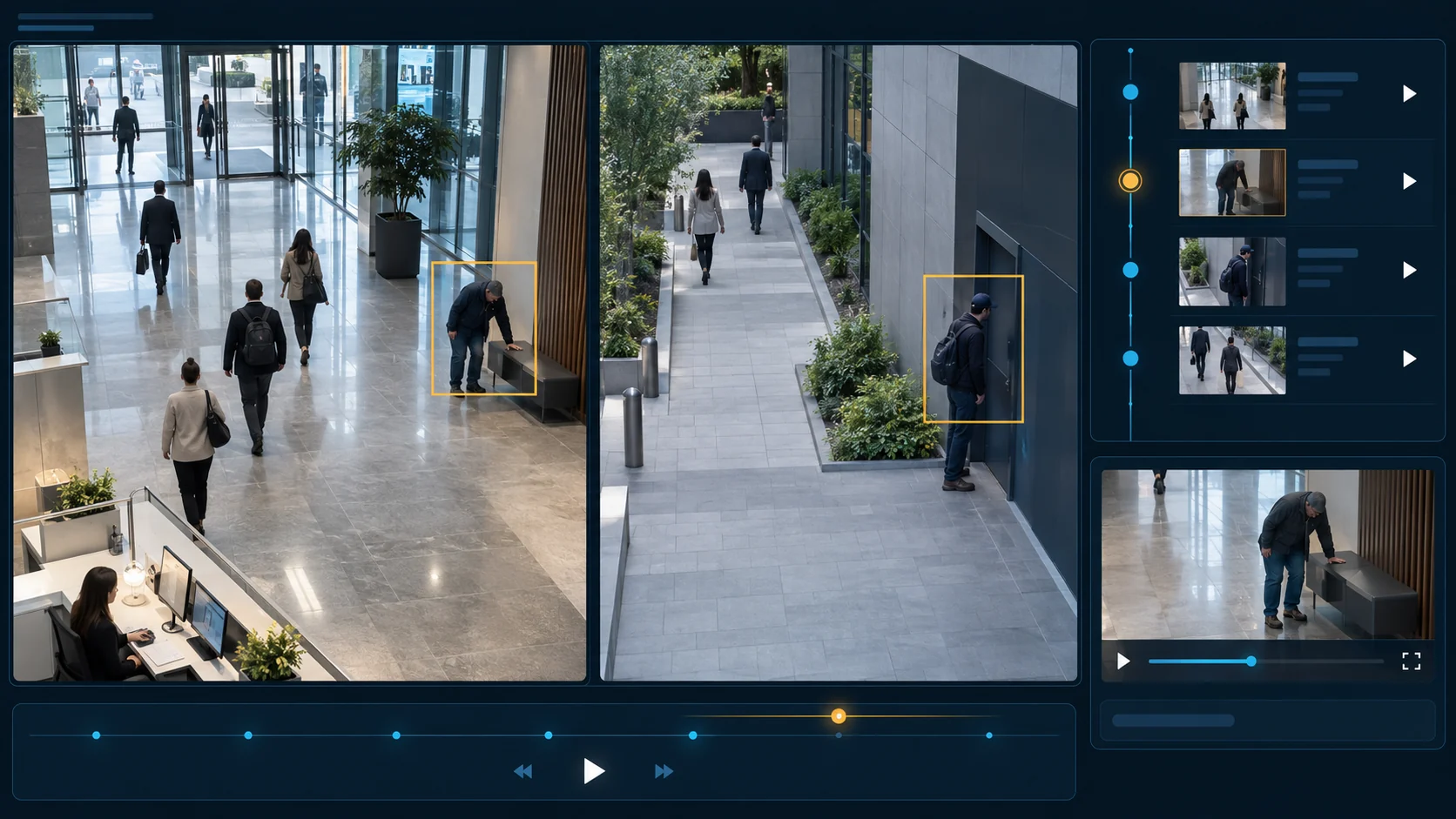
Xem cảnh báo, vùng quan tâm và đoạn ghi hình liên quan khi hệ thống AI cung cấp dữ liệu.Review alerts, regions of interest and related footage when AI event data is available.
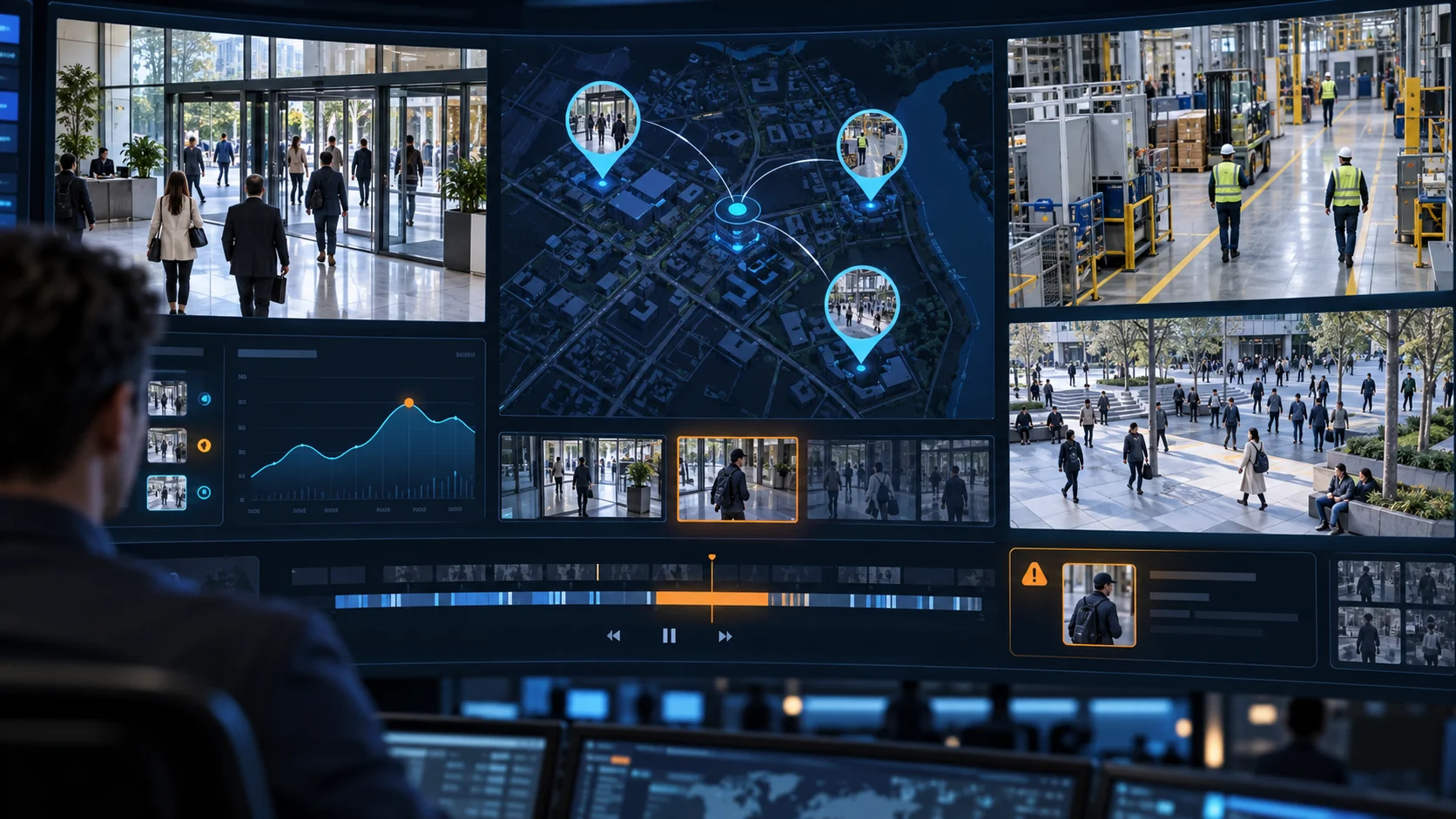
Đi từ bản đồ và luồng trực tiếp đến phát lại, thống kê và tình trạng camera trên cùng quy trình.Move from the map and live feeds to playback, reports and camera health in one workflow.
Hình ảnh minh họa. Loại đối tượng, hành vi và cảnh báo khả dụng phụ thuộc camera, cấu hình và nguồn AI được tích hợp.Illustrative imagery. Available object types, behaviors and alerts depend on cameras, configuration and integrated AI sources.
Chuyển liền mạch giữa tổng quan, hình ảnh trực tiếp, bản ghi và sự kiện để đội vận hành kiểm tra tình huống nhanh hơn.Move between the overview, live video, recordings and events to review situations more efficiently.
Nắm số camera, trạng thái kết nối, dữ liệu đối tượng và sức khỏe hạ tầng trên một màn hình.See camera counts, connectivity, object data and infrastructure health in one view.
Sắp xếp luồng theo ca trực, lưu bố cục và điều khiển PTZ khi camera hỗ trợ.Arrange streams for each shift, save layouts and use PTZ where supported.
Đối chiếu nhiều camera trên dòng thời gian; chọn đoạn, chụp ảnh hoặc tải bản ghi khi nguồn hỗ trợ.Review multiple cameras on a timeline; select clips, capture images or download footage when supported.
Tra cứu nhiều loại đối tượng, lượt vào/ra vùng quan tâm và cảnh báo từ nguồn AI đã kết nối.Review different object types, region entry or exit events and alerts from connected AI sources.
Tìm camera theo vị trí, trạng thái và nhóm; mở luồng trực tiếp ngay trên bản đồ.Find cameras by location, status and group, then open live video from the map.
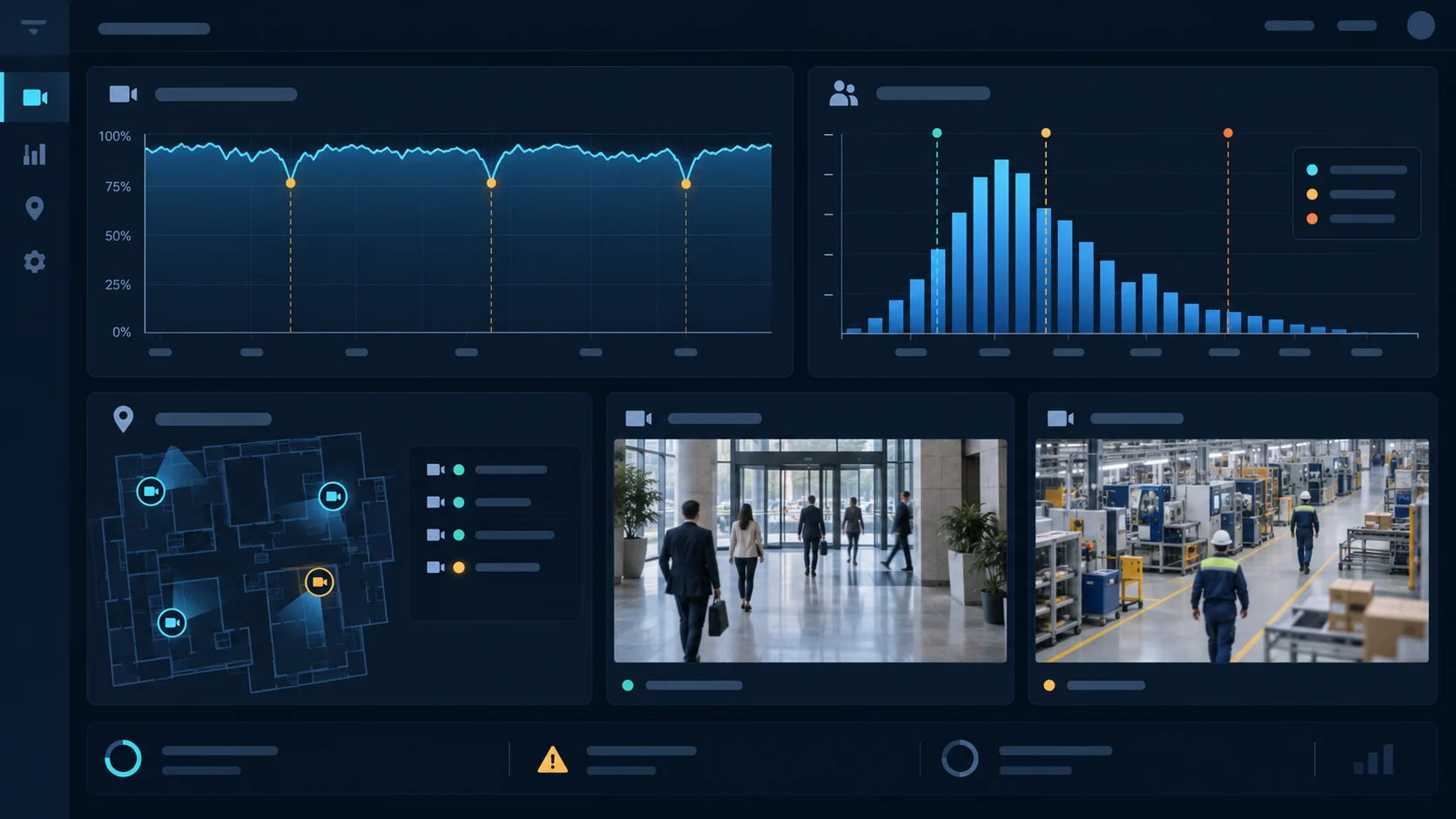
Theo dõi sức khỏe camera, hoạt động trong vùng quan tâm và các lượt vượt ngưỡng.Track camera health, activity in regions of interest and threshold exceptions.
Xem mật độ hiện tại, lịch sử snapshot và thống kê theo loại đối tượng hoặc camera.Review current density, snapshot history and counts by object type or camera.
Theo dõi tài nguyên máy chủ và điều chỉnh giao diện, luồng video, lớp ROI theo nhu cầu vận hành.Monitor server resources and adjust the interface, video view and ROI overlay for operations.
Các tính năng hiển thị phụ thuộc vào camera, quyền truy cập và nguồn dữ liệu được tích hợp tại từng hệ thống.Available features depend on cameras, access permissions and connected data sources at each site.
Mỗi hình minh họa một nhóm công việc: theo dõi tổng quan, xem trực tiếp, tra cứu sự kiện, phát lại, mở camera trên bản đồ và phân tích dữ liệu. Tính năng hiển thị thực tế phụ thuộc cấu hình và nguồn dữ liệu đã tích hợp.Each illustration shows a workflow: overview, live monitoring, event search, playback, camera map and analytics. Available features depend on the deployed configuration and connected data sources.
Theo dõi trạng thái camera, chỉ số vận hành và các thông tin tổng hợp trên màn hình đầu tiên.Review camera status, operational indicators and system summaries from the opening dashboard.
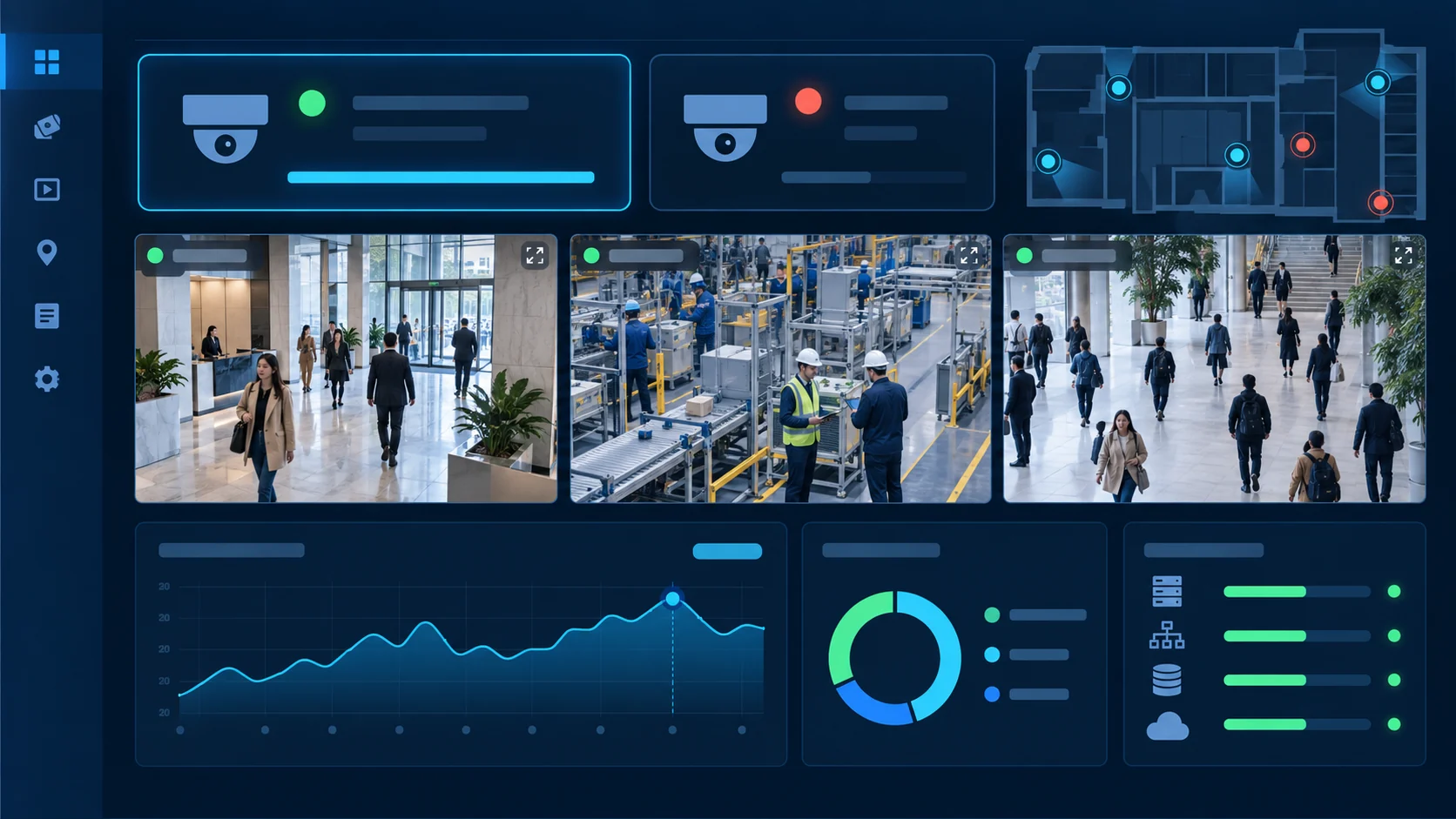
Xem luồng camera trong bố cục phù hợp với ca trực và chuyển nhanh đến nguồn cần kiểm tra.Watch camera streams in a layout suited to each shift and switch to the feed that needs attention.
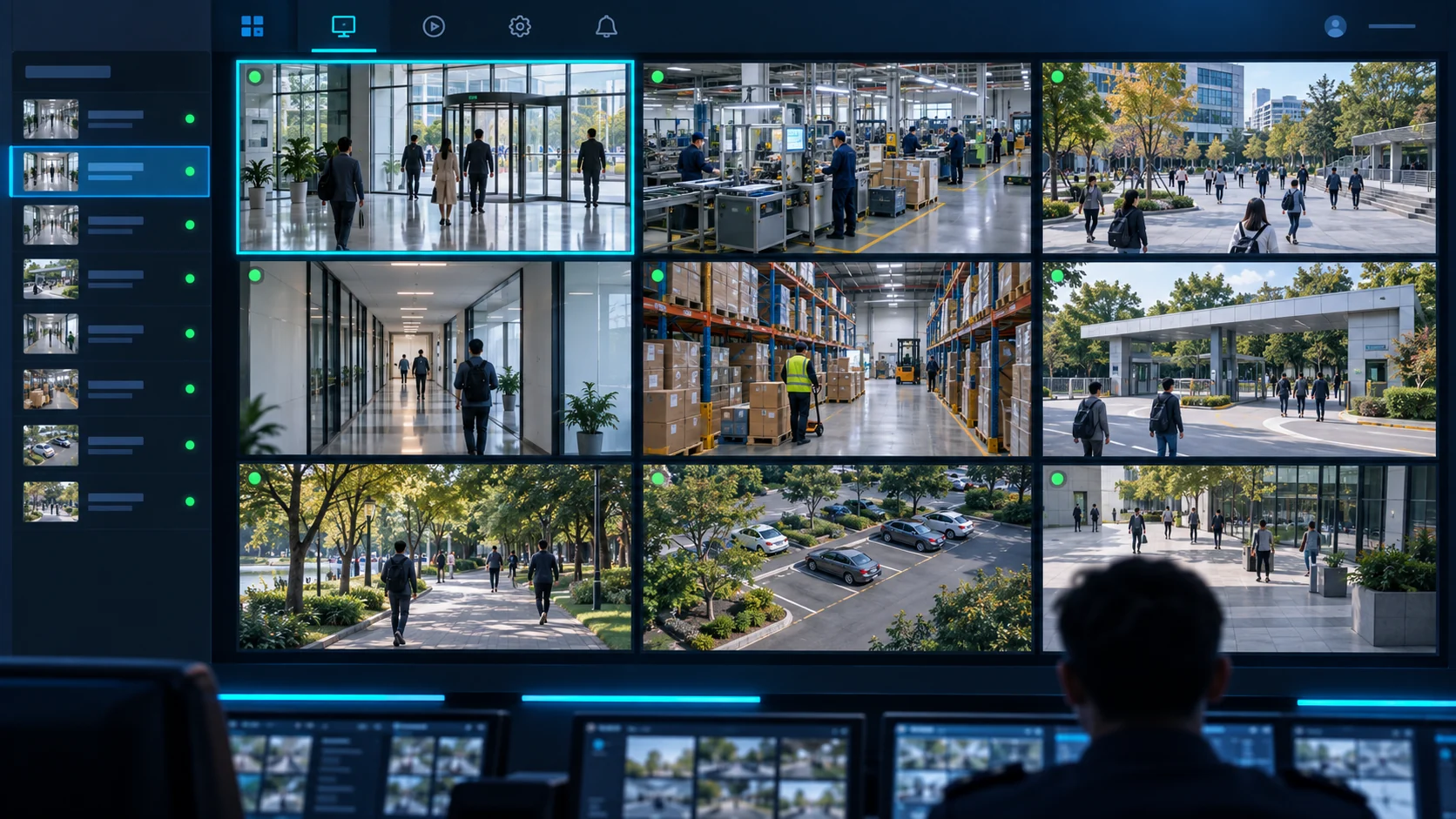
Tìm và đối chiếu sự kiện về người, phương tiện, khu vực và hành vi cần chú ý khi nguồn AI cung cấp dữ liệu.Find and review events involving people, vehicles, areas and unusual activity when connected AI sources provide them.
Chọn camera và khoảng thời gian để xem lại diễn biến từ nguồn ghi hình đã kết nối.Select cameras and time ranges to review footage from connected recording sources.
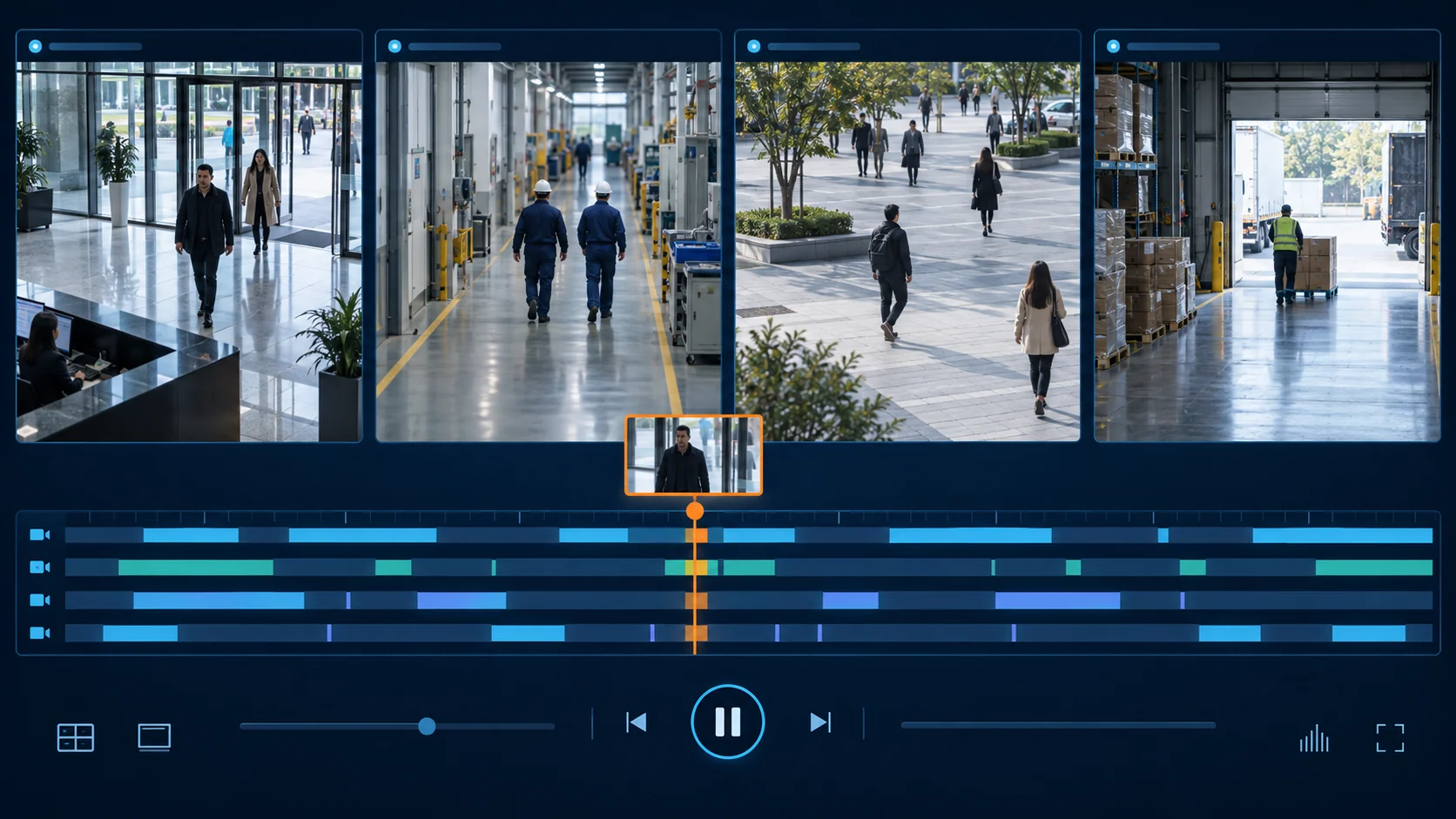
Định vị camera trên bản đồ đã cấu hình và truy cập nhanh hình ảnh tại khu vực cần quan sát.Locate cameras on a configured map and open video from the area being reviewed.
Theo dõi sức khỏe camera và diễn biến đối tượng trong vùng quan tâm theo khoảng thời gian.Track camera health and object activity within regions of interest over time.
Quy chuẩn áp dụng trực tiếp cho thiết bị camera giám sát dùng giao thức Internet. Tài liệu giải pháp iVMS tập trung vào những nhóm yêu cầu mà nền tảng quản lý video có thể hỗ trợ trong một hệ thống triển khai thực tế.The regulation directly covers Internet protocol surveillance cameras. The iVMS solution document focuses on requirements the video management platform can support in an actual deployment.
Tài liệu giải pháp đặt ra phân quyền truy cập, bảo vệ phiên đăng nhập và kênh truyền cho hệ thống quản lý video.The solution document addresses access roles, login protection and secure communication for video management.
Quy trình được mô tả gồm tiếp nhận lỗ hổng, kiểm thử bản vá, xác thực gói cập nhật và thông báo cho đơn vị vận hành.The documented workflow covers vulnerability intake, patch testing, update verification and operator notification.
Giải pháp hướng tới bảo vệ dữ liệu nhạy cảm, minh bạch cách xử lý và hỗ trợ triển khai lưu trữ tại Việt Nam.The solution is designed around sensitive data protection, clear processing practices and deployment with storage in Vietnam.
Tài liệu nêu quy trình xóa dữ liệu theo yêu cầu và kiểm tra dữ liệu đầu vào tại giao diện, API, dịch vụ tích hợp.The document describes requested data deletion and input validation across the UI, APIs and connected services.
Việc đáp ứng quy chuẩn và công bố hợp quy của camera cần được đánh giá theo thiết bị, cấu hình triển khai và hồ sơ kiểm chứng tương ứng. Camera conformity depends on the device, deployment configuration and supporting evidence. Xem văn bản trên Công báo Chính phủRead the official regulation
Bảo mật là công việc liên tục. Tài liệu VMS của iVista mô tả quy trình tiếp nhận lỗ hổng, phát triển và kiểm thử bản vá, xác thực gói cập nhật, thông báo thay đổi và phối hợp triển khai với đơn vị vận hành.Security is an ongoing process. The iVista VMS document describes vulnerability intake, patch development and testing, update verification, release communication and coordinated installation.
Hỏi về phiên bản và bản váAsk about versions and patchesTiếp nhận báo cáo lỗ hổng, rà soát ảnh hưởng và xác định mức độ ưu tiên xử lý.Receive vulnerability reports, assess impact and set a remediation priority.
Phát triển, kiểm thử, đóng gói bản vá; kiểm tra tính xác thực và toàn vẹn trước khi áp dụng.Develop, test and package patches, then verify authenticity and integrity before installation.
Thông báo bản cập nhật định kỳ, ghi rõ nội dung thay đổi và phối hợp chọn thời điểm triển khai phù hợp.Announce regular updates with release notes and coordinate a suitable maintenance window.
Video trực tiếp đi qua hạ tầng phát luồng được cấu hình; phát lại dựa trên nguồn ghi hình hoặc NVR. Dữ liệu camera, sự kiện AI và chỉ số hệ thống đến từ các dịch vụ tích hợp tương ứng. Hãy chia sẻ cấu hình hiện có để iVista đánh giá phương án phù hợp.Live video uses configured streaming infrastructure; playback depends on recording sources or NVRs. Camera data, AI events and system metrics come from connected services. Share your current setup so iVista can assess the right configuration.
Không. QCVN 11:2026/BCA quy định trực tiếp cho thiết bị camera IP. iVMS là phần mềm quản lý video hỗ trợ triển khai các biện pháp liên quan; việc đánh giá hợp quy của camera cần thực hiện theo từng thiết bị và hồ sơ tương ứng.No. QCVN 11:2026/BCA applies directly to IP camera devices. iVMS is video management software that supports related controls; camera conformity is assessed for each device and its documentation.
Có. iVMS có giao diện web. Việc phát một số định dạng video phụ thuộc vào trình duyệt và cấu hình luồng của hệ thống.Yes. iVMS has a web interface. Playback of some video formats depends on the browser and stream configuration.
Giao diện hỗ trợ phát lại đồng thời nhiều camera. Việc xem được bản ghi phụ thuộc vào camera và nguồn ghi hình đã cấu hình.The interface supports simultaneous playback from multiple cameras. Available footage depends on the configured cameras and recording sources.
Có thể lọc theo vùng quan tâm (ROI) khi camera và ROI đã được cấu hình và có dữ liệu sự kiện tương ứng.You can filter by region of interest (ROI) when the camera and region are configured and matching event data is available.
Khả năng tích hợp phụ thuộc vào luồng video, NVR, quyền truy cập và dịch vụ dữ liệu tại hệ thống của bạn. Đội ngũ iVista cần khảo sát trước khi xác nhận cấu hình triển khai.Integration depends on video streams, NVRs, access permissions and available data services. The iVista team reviews the installation before confirming compatibility.
Liên hệ iVista để nhận thông tin phiên bản, ghi chú phát hành và kế hoạch cập nhật phù hợp với bản cài đặt đang vận hành.Contact iVista for version information, release notes and an update plan suited to your deployment.
Chia sẻ quy mô camera, hạ tầng hiện tại và nhu cầu an toàn hệ thống. Chúng tôi sẽ chuẩn bị buổi giới thiệu phù hợp.Tell us about your cameras, infrastructure and security needs. We will prepare a relevant walkthrough.
Đăng ký demoBook a demo